
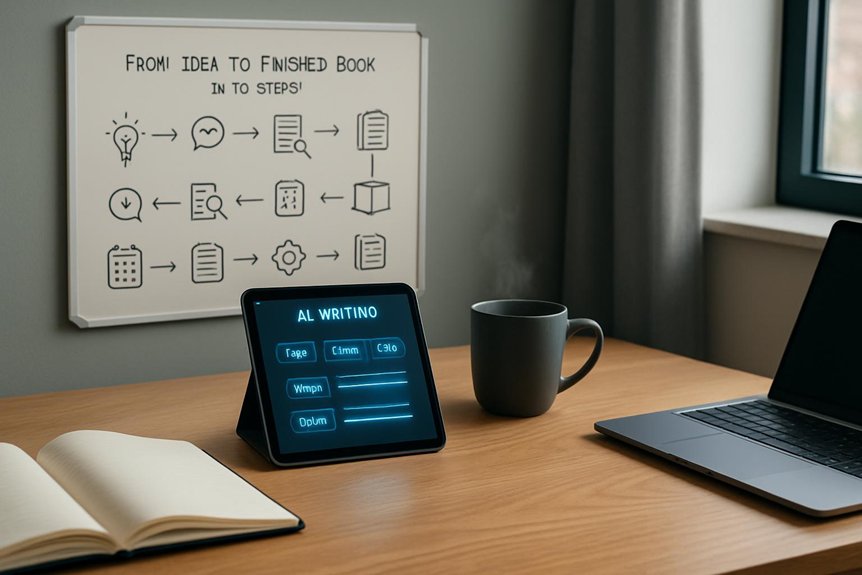
You can go from idea to finished book in 10 steps with an AI writing app that handles outlining, drafting, and production. Start by picking a marketable genre and generating tight one-sentence loglines with a twist and constraint. Choose a Pro-tier novel tool with multi-chapter management and unlimited exports. Build a searchable story bible, then develop characters, world rules, and a three-act beat sheet. Break beats into chapters and scenes, draft in voice, revise for tension, then edit, format, and export EPUB/MOBI or POD-ready files. Keep going to see the exact prompts and pacing targets.
Key Takeaways
- Start with a marketable genre and five one-sentence loglines, each with a twist and constraint, to prevent AI drift.
- Pick a novel-focused AI app with Scrivener-style project management, genre templates, and Pro-tier unlimited generation and exports.
- Build a searchable Story Bible covering characters, world rules, glossary, and a dated timeline to maintain continuity across chapters.
- Create a three-act beat sheet, then expand into 10–20 chapter beats and 2–4 scene goals with clear word-count targets.
- Draft, revise, and finalize with AI using tension scans and multi-pass edits, then export EPUB/MOBI and print-ready files with POD integration.
Choose Your AI-Fiction Book Concept (Fast)
Before you write a single chapter, pick a marketable genre, romance, thriller, or sci‑fi, then prompt your AI to spit out five one‑sentence loglines, each with one clear twist, so you can compare hooks in under two minutes. Keep each premise to one sentence plus one unique constraint (like a time‑travel courier who can’t change their own past) so your AI writing tool won’t wander. Next, feed it your target word count (80K–100K) and audience (adult, YA, or children) to shape pacing and expectations. Then request an element set for each concept: protagonist, antagonist, setting, and one core conflict. Review them side‑by‑side, pick the strongest, and ask for three cover‑friendly taglines plus a 30‑word pitch to confirm you can write a book that sells.
Pick the Right AI Writing App for Novels
Nail down your AI writing app early, and you’ll save yourself from patchwork fixes halfway through a draft. Pick a tool built for full-length novels: it should handle multi-chapter projects, let you import outlines, and show chapter overviews with progress tracking like Scrivener-style management.
If you’ll use AI heavily, choose a Pro plan with unlimited generation (often around $240/year) so you don’t hit token caps mid-draft. Confirm it includes genre templates and element generation for characters, settings, and key objects, so scenes stay coherent even in 1.4M+ word workflows.
Make sure you can import existing drafts and collaborate in real time with comments and edits. Finally, require clean exports (ebook, print, screenplay) plus optional cover/printing services to publish a full book without reformatting.
Set Up a Story Bible (Cast, Rules, Timeline)
Once you start drafting with AI, you need a Story Bible, a single, searchable document that keeps your cast, world rules, and timeline locked in so every new scene stays consistent. For Writing Fiction, capture story ideas without losing continuity by recording each main character’s one-line hook, full physical look, primary motivation, key relationships, and three signature traits.
| Story Bible Section | What you record |
|---|---|
| Cast card | Hook, description, motivation, relationships, 3 quirks |
| Rules | Mechanics, limits, norms, edge cases, cause/effect examples |
| Timeline | Inciting to resolution: day/date, location, POV per beat |
Add a living glossary of places, orgs, terms, currencies, and units with chapter/page source notes. Keep a versioned change log with date, summary, and rationale so you can revert fast when edits create contradictions.
Generate Characters: Goals, Flaws, and Arcs
With your Story Bible in place to keep names, rules, and continuity steady, you can push character work further by generating goals, flaws, and arcs that give every scene a clear engine.
Start by defining each character’s primary goal in one sentence, then use AI writing to sketch escalating obstacles across a three-act plan.
Next, ask for a crisp flaw statement and three scene prompts that pressure that flaw at rising stakes. Have the AI produce a 3-point arc summary, starting belief, crisis, transformed belief, plus target word counts for setup, confrontation, and resolution so pacing stays honest.
Request an 8–12 item fingerprint dossier (habits, phobias, speech tics) to keep behavior consistent.
Finally, generate 200–400 word micro-scenes at turning points to test choices and help writers refine growth.
Build Your World: Settings, Stakes, and Rules
Before you draft a single scene, lock down your world’s scale and constraints so the story stays consistent under pressure. Name the setting (coastal city or interstellar colony), define climate, tech level, and three rules: system limits, political order, and resource scarcity. You can use artificial intelligence to generate options, then pick the ones that create clean cause-and-effect. Quantify stakes tied to place: a 40% water cut triggers riots; a reactor unfixed in 72 hours bleeds the sky. Map power in three core communities, who controls trade, law, and information, plus daily routines, laws, and taboos. Add sensory anchors and motifs: sulfur markets, red dusk, 05:00 whistles. Stress-test rules against three hypothetical events to confirm escalation and consistency.
Outline the Whole Book With AI (3-Act Beats)
Your world rules and stakes now need a spine that can carry them from page one to the last line, so use AI to sketch a tight 3‑act beat sheet. Prompt for Act 1 setup, inciting incident, and first plot point; Act 2 rising conflict, midpoint reversal, and complications; then Act 3 climax, resolution, and denouement. Iterate until every beat serves the stakes and your protagonist’s arc.
Give the AI your character’s goal and flaw, and ask for 8–12 act-level beats with rough word-count ranges (Act 1: 1,500–3,000; Act 2: 6,000–12,000; Act 3: 2,000–4,000) to pace the draft. Request alternate versions, fast, character-driven, mystery-first, then A/B test pros, cons, and engagement. Export the final 3-act beats to guide AI to write consistently.
Break It Into Chapter Beats and Scene Goals
Once you’ve locked your 3‑act beat sheet, break it down into 10–20 chapter beats and give each chapter a single, sharp goal: what the protagonist wants right now and what it’ll cost if they don’t get it.
For a 60k–90k novel, aim for 3–6k words per chapter so your pacing stays predictable.
Next, turn each chapter beat into 2–4 scene goals, reaction to the inciting incident, reveal a secret, raise an obstacle, land an emotional turning point, so every scene pushes plot, conflict, or growth.
Assign a minimum and target word count per scene (300–800 for quick beats, 1,200–2,000 for climaxes).
Tag each scene with one concrete change learned, shifted, or decided.
Use AI writing tools to generate brief scene prompts, then edit for POV, location, emotion, and obstacle.
Prompt AI to Draft Scenes in Your Voice
Ask for 2–3 variant openings and have it label which best match your voice. You’ll stitch the strongest lines into one in-voice paragraph for dedicated writing.
Revise With AI: Tension, Pacing, and Style
When the draft finally exists, you can use AI like a revision partner to pressure-test tension, sharpen pacing, and lock in a consistent style without losing your voice. Run a scene-level tension scan: have it score conflict 1–10 and flag anything below 6 for added stakes. Then tune pacing by asking it to trim or expand scenes to a target range (say 1,500–3,000 words for a thriller chapter) while preserving plot beats.
| Goal | AI prompt/action |
|---|---|
| Raise tension | “Rate each scene; suggest 2 obstacles for scores <6.” |
| Fix pacing | “Adjust scene length to target word count; keep beats.” |
| Unify style | “Cut adverbs 50%, avg 12–15 words, keep 1st-person.” |
Finally, generate three sentence alternatives and read them aloud to A/B test rhythm and emotion.
Edit, Format, and Export for Publishing
After you’ve nailed the draft’s big swings, shift into production mode inside the app: run multi-pass edits (structure first, then line, then a final grammar/consistency sweep with Rewrite and Expand/Condense), format to standard specs (6″×9″ or US Letter, 12‑pt serif, 1″ margins, double-spacing for drafts, auto chapter headers), and generate print-ready files with templates that meet printer requirements (embedded fonts, proper bleed/spine, 300 DPI images, CMYK).
Next, use metadata and front/back-matter tools to add ISBN, author name, blurbs, keywords, and a clean table of contents.
Then validate: run EPUB checks or PDF preflight to cut retailer rejections.
Finally, pick export options that match your path: DOCX for editors, PDF for KDP/IngramSpark, and EPUB/MOBI for ebooks; Pro often enables unlimited exports and POD integration.
Conclusion
You’ve now got a clear path from a raw idea to a finished novel, and you don’t have to do it alone. You’ll choose a concept fast, pick an AI app that fits your process, and build a simple story bible to keep everything consistent. Then you’ll generate characters, shape your world, and map chapter beats. You’ll prompt scenes in your voice, revise for pace and tension, and finally edit, format, and export with confidence.


